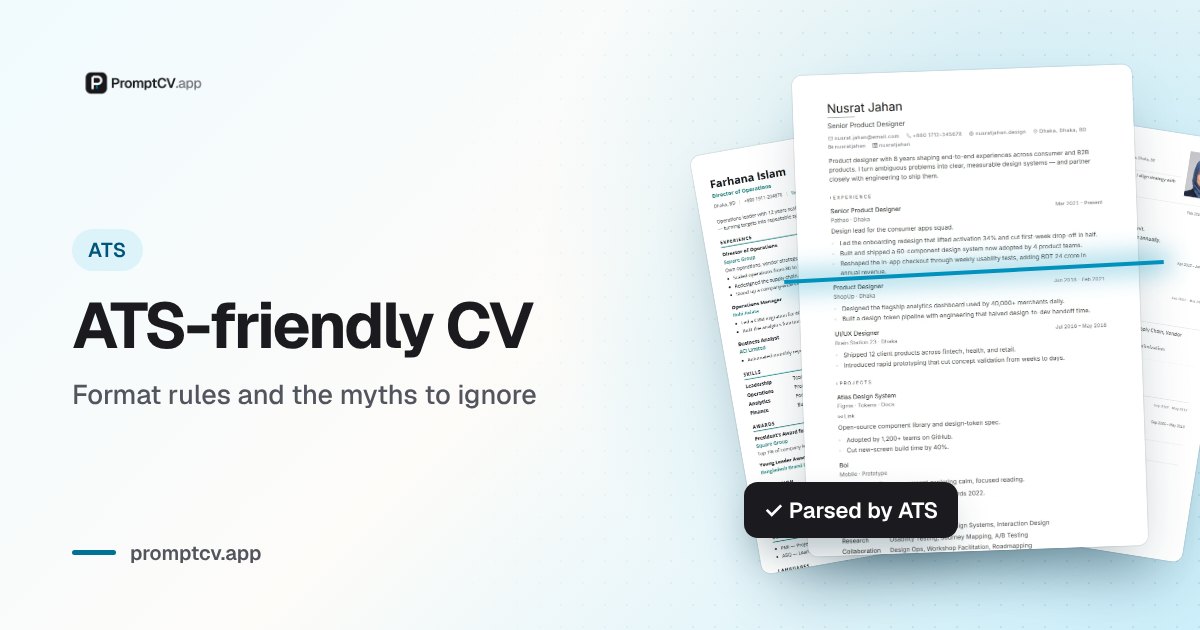
Almost every CV advice thread in Bangladesh now warns you to be "ATS-friendly," and half of it is wrong. Some tell you to strip every bit of formatting; others sell you a two-column template and call it optimised. An ATS is just software that reads your CV before a person does, and making a CV a machine can read cleanly is a small, learnable set of rules — not a dark art. This guide explains what an ATS actually does, which employers here really use one, and the handful of formatting choices that decide whether your CV reaches the shortlist or dies in the parse.
What an ATS actually is
ATS stands for applicant tracking system — software that receives, stores, and organises job applications so a recruiter can manage hundreds of them without drowning. When you upload a CV to one, three things happen in order, and understanding them is most of the battle:
- Parse. The system reads your file and tries to pull structured fields out of it — your name, contact details, work history, education, skills. It is turning a page of text into database rows. If your layout confuses this step, the wrong text lands in the wrong field, or lands nowhere at all.
- Search and filter. A recruiter later searches the database for the people they need — by job title, skill, degree, location, or years of experience. If a skill never got parsed into your record, you simply do not show up in that search, no matter how qualified you are.
- Rank or shortlist. Some systems score candidates against the job description and surface the closest matches first. This is where "keyword match" matters — but a score is a sorting aid for a human, not an automatic verdict.
The mental model to keep is this: the ATS is a filing clerk, not a judge. Its job is to file your CV correctly and make it findable. A parseable CV wins because it gets filed right and found; a beautiful but unparseable one loses because it gets filed wrong and never surfaces. Real products you may meet include Workday, Greenhouse, Taleo, and SAP SuccessFactors on the global side, plus the recruiter dashboards built into Bdjobs and LinkedIn locally.
Who in Bangladesh actually uses one
Here is the nuance the loud advice skips: not every employer in Bangladesh runs a true ATS, and pretending they all do leads you to over-optimise for a robot that is not there. The landscape is really three tiers.
Multinationals and large local tech employers are the ones most likely to run a full applicant tracking system, often through their own careers portal. Think Unilever Bangladesh, British American Tobacco, Nestlé, Standard Chartered, the big telecoms like Grameenphone and Robi, and larger software and outsourcing firms hiring at scale. If you are applying to a graduate program or a corporate role through a company portal, assume a parser is reading you first and format accordingly.
Bdjobs- and LinkedIn-driven employers are the broad middle — and this is where most Bangladeshi applications actually go. Many of these companies do not operate a dedicated ATS at all. Instead, they post on Bdjobs and review applicants through the Bdjobs recruiter dashboard, or they collect CVs by email. But note: Bdjobs and LinkedIn parse your profile and your uploaded CV too. When you fill your Bdjobs profile, that is structured data a recruiter filters on. When you attach a CV, a human often skims it in seconds on a screen. So even without a "real" ATS, a clean single-column CV still wins, because both the platform's parser and a rushed human read it faster.
Small and mid-size local employers frequently just open your file by hand. No parser, no keyword score — a person opens the PDF and forms an impression. Here, ATS rules matter less as software and more as plain readability: a tidy, scannable CV still beats a cluttered one. The takeaway is to stop treating "ATS" as a magic gate on every job in Dhaka — format for parseability because it never hurts and often decides.
Formatting rules that keep you parseable
These are the rules that actually move the needle. None of them make your CV look worse; they just make it machine-readable and human-scannable at the same time.
- Use a single column. This is the big one. Two-column layouts — the popular "sidebar for skills, main area for experience" templates — are the most common reason a CV parses badly. A parser reads left to right, top to bottom, and a sidebar can get jumbled into the middle of a sentence. One column, top to bottom, in reading order.
- Keep standard section headings. Label sections with the words a parser expects: Experience, Education, Skills, Projects. Creative headers like "Where I've Been" or "My Toolkit" look clever and parse into nothing.
- No text boxes, tables, or columns to hold your content. Content trapped inside a table cell or a floating text box often gets dropped or scrambled. Lay text directly on the page. Simple bullet points are fine; a grid of skills is not.
- No images-as-text. Never put your name, contact details, or any real information inside an image, icon, or logo. A parser cannot read pixels — if your phone number is part of a graphic, it is invisible to the system.
- Stick to standard fonts. Common, readable fonts — the kind a builder ships by default — parse reliably. Decorative or embedded custom fonts can turn into garbled characters.
- Export a text-based PDF. The safest format for almost every modern system is a text-based PDF exported from a proper builder — one where you can select and copy the text. A scanned image saved as a PDF, or a flattened design exported from a graphics tool, is just a picture and parses as nothing. Send DOCX only when an employer explicitly asks.
If you build on a tool that handles these rules for you, you rarely have to think about them. For the baseline layout every local CV should follow, see the Bangladesh CV format guide and its ATS section, and before you upload anywhere it is worth two minutes to check that your CV parses cleanly.
Keywords: mirror the job description
Once your CV parses, the next thing that helps is matching the language of the specific job. This is not about tricking a machine — it is about speaking the same words the recruiter and their search use. The method is simple: read the circular or job post closely, note the exact skills, tools, and qualifications it names, and make sure the true ones appear naturally in your CV in the same wording.
Wording is the part people miss. If the post asks for "MS Excel", write "MS Excel," not only "spreadsheets." A search for "Excel" will not surface a CV that only says "spreadsheet software." Put these terms where they belong — inside real experience bullets and a focused skills line — so they read as genuine, not bolted on.
And here is the hard limit: do not stuff. Pasting a hidden wall of keywords, typing them in white text to hide them, or listing forty tools you have never touched will either get flagged by a modern system or, worse, get you caught by the human who reads the CV next and decides you are padding. Mirror the job honestly. If you do not have a skill, leave it out — a tight, truthful match beats a bloated, dishonest one every time.
The photo dilemma
This is the question almost every Bangladeshi applicant hits, because two conventions pull in opposite directions. Locally, a formal passport-size photo is the norm — many local employers, banks, and government forms expect one, and a CV without it can look incomplete. Globally, most MNC and international roles neither want nor expect a photo, partly for anti-bias reasons, and some applicant tracking systems handle a photo poorly.
The good news is that the software fear is overstated. A photo sitting in the header of a clean, single-column CV rarely breaks a modern parser. What actually degrades parsing is a photo embedded inside a text block or a two-column sidebar, where it shoves your text around. So the rule is about placement, not presence: keep one column, and keep the photo clearly separated from your text at the top.
Resolve it per employer, not by a single rule:
- Local role, or the circular asks for a photo — include a recent, formal passport-size photo with a plain background, placed neatly in the header.
- MNC, global, or remote role — a photo-less version is usually the safer choice; let your experience carry the page.
- Not sure — a single-column CV with a small, well-placed header photo works for both worlds, so when in doubt, that is the low-risk default.
How to test your CV
You do not have to guess whether your CV parses — you can see it. The idea behind any ATS check is to run your file through a parser and look at what it managed to extract. If your name, contact details, job titles, and skills come back in the right fields, a real system will read you the same way. If chunks are missing or scrambled, you have found a formatting problem before a recruiter did.
The fastest way to do this is with a checker that scores the file and points at what to fix. You can run your CV through the public ATS checker to see the parse and a score in a couple of minutes. If you build your CV with PromptCV, you get a live ATS score as you edit once you are signed in — it updates while you type and flags the exact formatting choices that hurt parsing, so you fix them in place instead of exporting, testing, and starting over. Either way, the loop is the same: check, read the flagged items, fix them, and re-check until the parse is clean. Also make sure you are testing the right document in the first place — a CV, resume, and biodata are not interchangeable, and optimising the wrong one is wasted effort.
Myth-busting
A lot of ATS advice is fear dressed up as insider knowledge. Clear these out and the whole thing gets less intimidating:
- "The ATS auto-rejects you." Mostly false. Most systems filter, search, and rank — they help a human find candidates. The rejection email you get is almost always a recruiter's decision, not a robot slamming a door. Your job is to make sure you are findable, not to fear an automatic guillotine that usually is not there.
- "Fancy design gets you noticed." Backwards. Heavy graphics, sidebars, and infographics are the leading cause of a broken parse. Substance in a clean layout gets read; a design-heavy CV can get you filtered out before anyone admires it.
- "Keyword-stuffing beats the bot." No. Hidden or white-text keywords and endless skill lists get caught by modern systems and by the human who reads you next. A truthful match to the job description does more than a padded one.
- "You must send a plain, formatting-free text file." Overkill. Bold text, bullet points, and standard headings all parse fine. A clean text-based PDF from a proper builder is not the enemy — a scanned image or a two-column graphic is.
- "One CV works for every job." Not if you want to match well. The base can stay the same, but mirror each job's real requirements and wording before you apply.
Strip away the myths and the goal is modest and honest: a CV a machine can read, filed under the right skills, in the words the employer actually used. That does not promise you an interview or a job — nothing on paper can — but it is what keeps you in the pile. Get the parse right and your CV gets read, reaches the shortlist, and gets judged on what you have done rather than lost on a formatting technicality. That is the entire point of being "ATS-friendly," and it is well within your control.
Frequently asked questions
- Do Bangladeshi companies use ATS?
- Large multinationals and big local tech employers often do; many smaller employers rely on Bdjobs and LinkedIn parsing rather than a full ATS. Either way, a clean, parseable CV is what puts you on the shortlist.
- Does a photo break ATS parsing?
- A photo in the header rarely breaks a modern ATS, but photos embedded inside text blocks and multi-column layouts do degrade parsing. Keep a single-column layout with the photo separated from your text.
- PDF or Word for an ATS-friendly CV?
- A text-based PDF exported from a proper builder is safe for almost all modern systems; use DOCX only when the employer explicitly asks. Never send a scanned image or a flattened design as your CV.
- How do I check if my CV is ATS-friendly?
- Run it through an ATS checker that parses your file and scores it. PromptCV gives you a live ATS score and flags formatting that hurts parsing — fix the flagged items and re-check.
- Do government jobs use ATS?
- Generally no. Government recruitment in Bangladesh runs on official application forms and written exams, so ATS formatting rules matter far less there than for private and MNC roles.